Elfredo
Last updated: March 2026
Plan, manage and share your training sessions – all in one place.
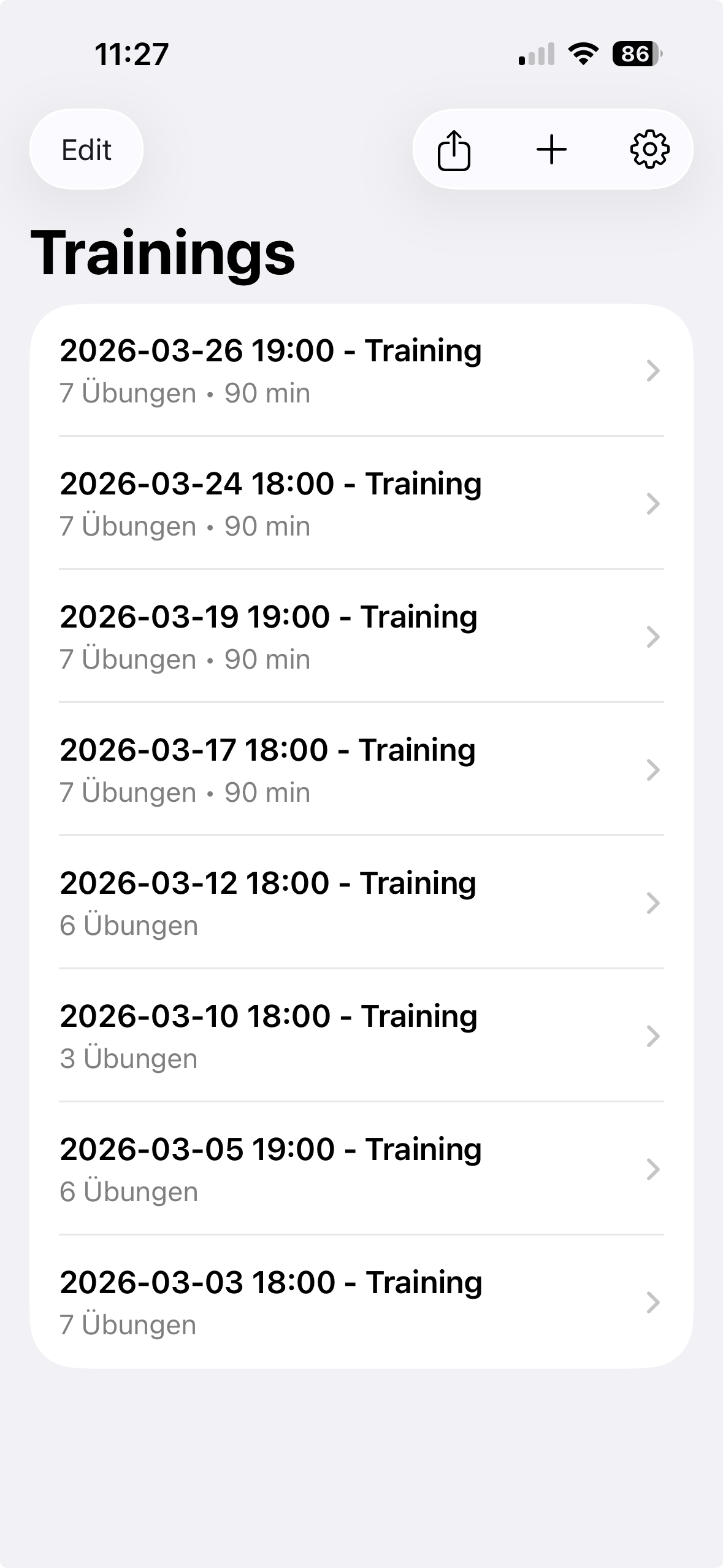
Elfredo is a lightweight app for coaches across all sports. Create sessions, organize exercises, and share them seamlessly with other coaches or players.
It works like a digital notepad for your training: create sessions, organize exercises, and share them easily with other coaches or athletes, either directly in the app or as a PDF.
Your training is always with you – available on iPhone, iPad, and Mac, automatically synced via iCloud.
Features
- Create and manage training sessions
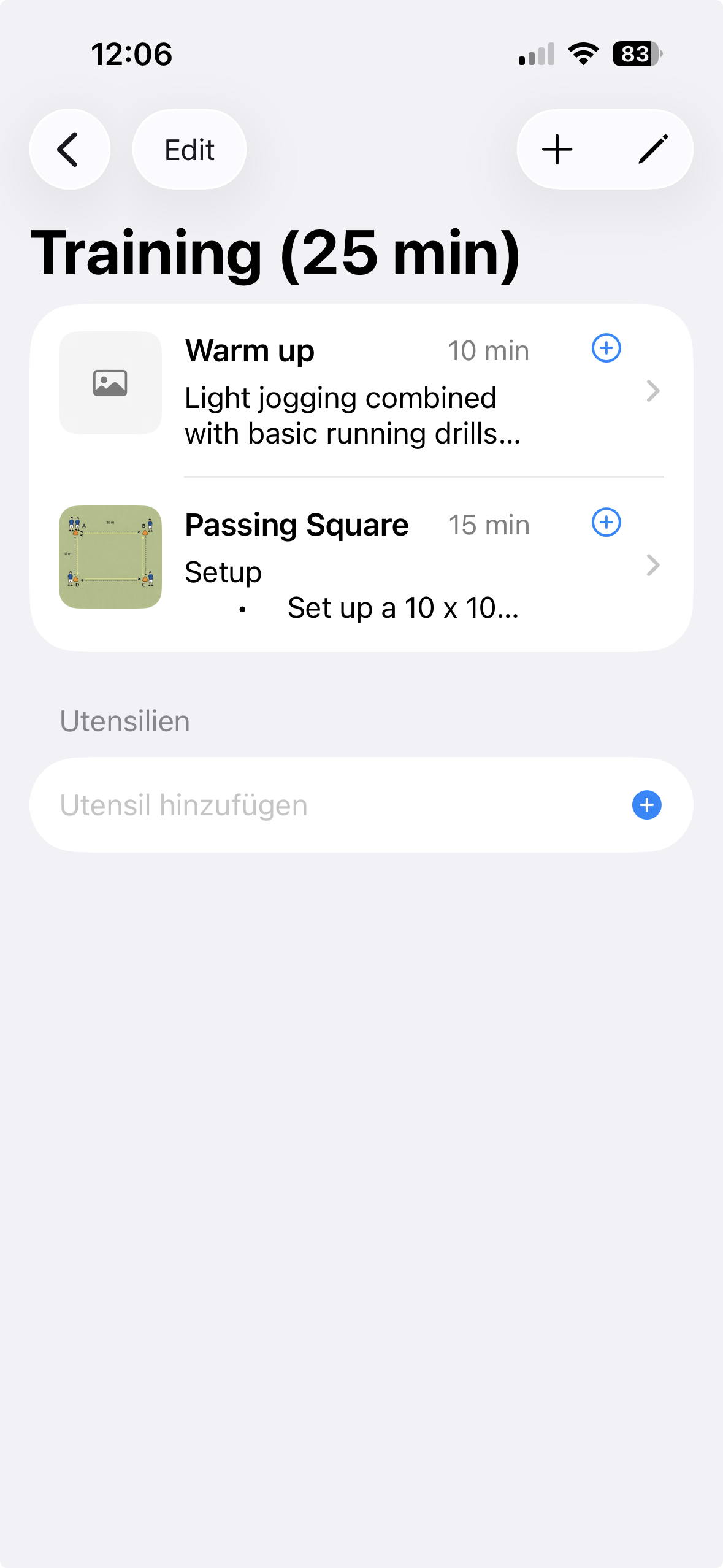
- Organize exercises with descriptions and images
- Available on iPhone, iPad, and Mac – your training sessions automatically sync across devices via iCloud (CloudKit)
- Share sessions with other coaches and players
- Export training sessions as structured PDF (with club name and logo)
- FBT format – your own export format to seamlessly share exercises and complete training sessions between coaches
Screenshots
FAQ
Is my data stored externally?
Data is stored locally and synced via iCloud (CloudKit).
Does the app work offline?
Yes, you can use the app offline. Sync happens when you are online.
Do I need an account?
No additional account is required. The app uses your iCloud account.
How do I create and edit a training session?
Create a new training session from the home screen using the “+” button. Select a date and time and optionally add a custom title (e.g. Endurance Training).
Tap the Edit button in the top left to modify your session. Use the red “–” button to delete exercises and the drag handle on the right to reorder them.
How do I add exercises to a training session?
You can add exercises within a training session using the “+” button. Assign a suitable name (e.g. Warm-Up) and set a duration using the picker (5, 10, 15, 20, 30 minutes) or enter a custom value.
You can also add a description with basic formatting and include an image for visualization. Images can either be selected manually or pasted directly from the clipboard.
How do I copy an exercise to another training session?
Select the exercise you want to copy. In the list view, tap the small blue “+” button.
A selection menu will open showing available training sessions. Choose the desired session, and the exercise will be copied there.
How can I share a training session?
You can share a training session directly from within the app. Open the desired session and perform a long press to access the sharing options.
From there, you can choose to share a single training session or export it as a PDF to send to other coaches or players.
Can I export a training session as a PDF?
Yes, training sessions can be exported as a PDF. Open the desired session and perform a long press to access the sharing options.
From there, select the PDF export option to generate a structured version of your training session for sharing or printing.
In the settings menu, you can define a club name and choose a logo, which will be used in the header of the generated PDF.
Privacy Policy
Elfredo does not collect or track personal data.
All data created within the app (such as training sessions and exercises) is stored on the user’s device and may be synced via Apple iCloud (CloudKit).
This data is associated with the user’s iCloud account and handled by Apple in accordance with their privacy policies.
No third-party analytics, tracking, or advertising services are used.
If you have any questions, contact:
elfredo@kainz.email
Terms of Use
These Terms of Use govern your use of the app "Elfredo".
User Content
You are responsible for any content you create, upload, or store within the app. You agree not to upload content that violates applicable laws or infringes on intellectual property rights.
Data Storage
The app stores data locally on your device and may sync data via Apple iCloud (CloudKit).
Liability
The app is provided "as is" without warranties of any kind. The developer is not liable for any damages resulting from the use of the app.
Termination
Access to the app may be restricted if these terms are violated.
Contact
elfredo@kainz.email